
Make room for what you are building.
Coding agents and developer tools leave gigabytes behind on your Mac: dependencies, build output, caches, simulators, Docker images, AI models. Leanroot Clean finds all of it and removes it safely.
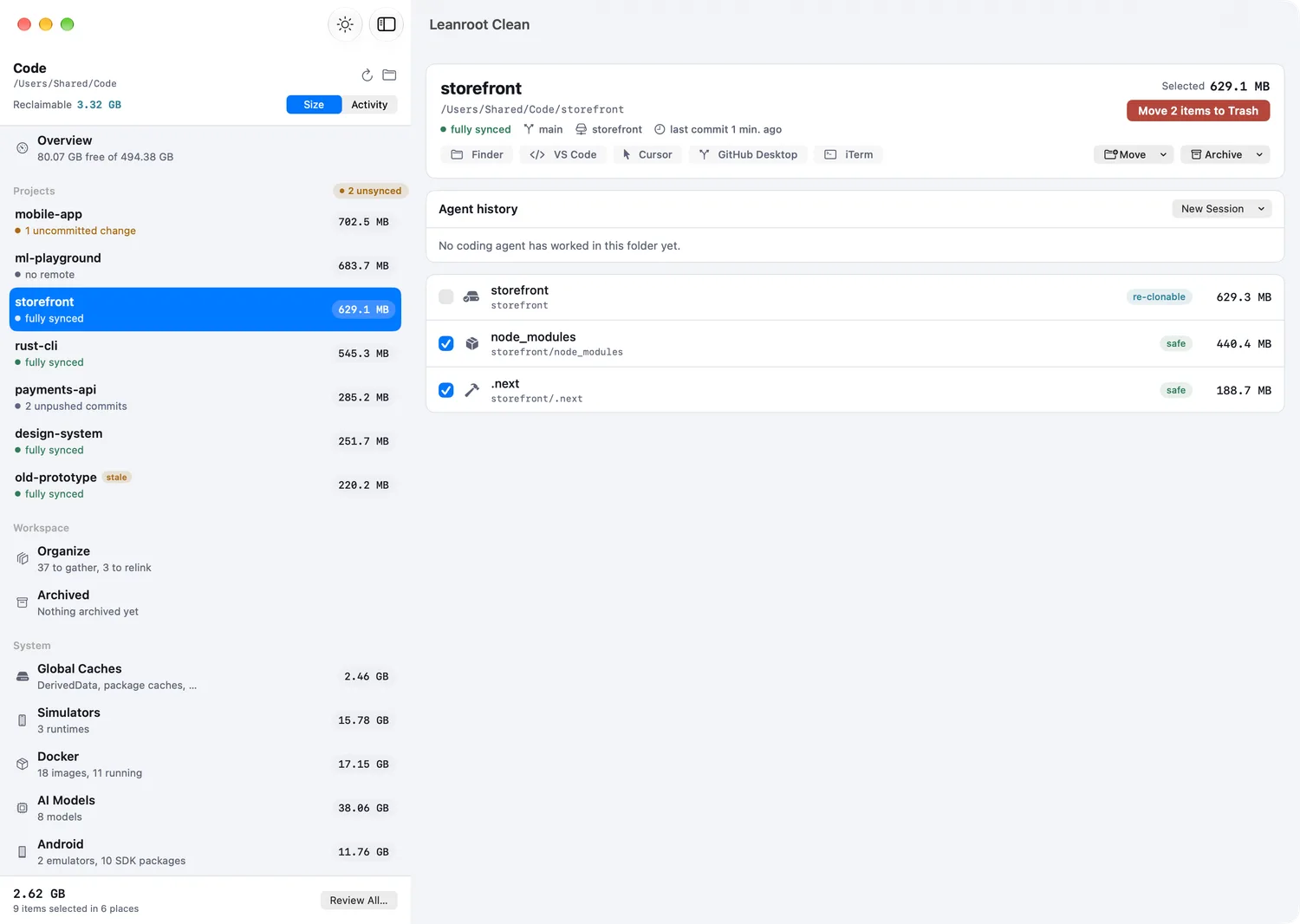
Everything your tools leave behind
- Project leftovers
node_modules.nexttarget.venvPodsbuildScan one folder or your whole home folder. Leanroot Clean knows which folders your tools rebuild on their own.
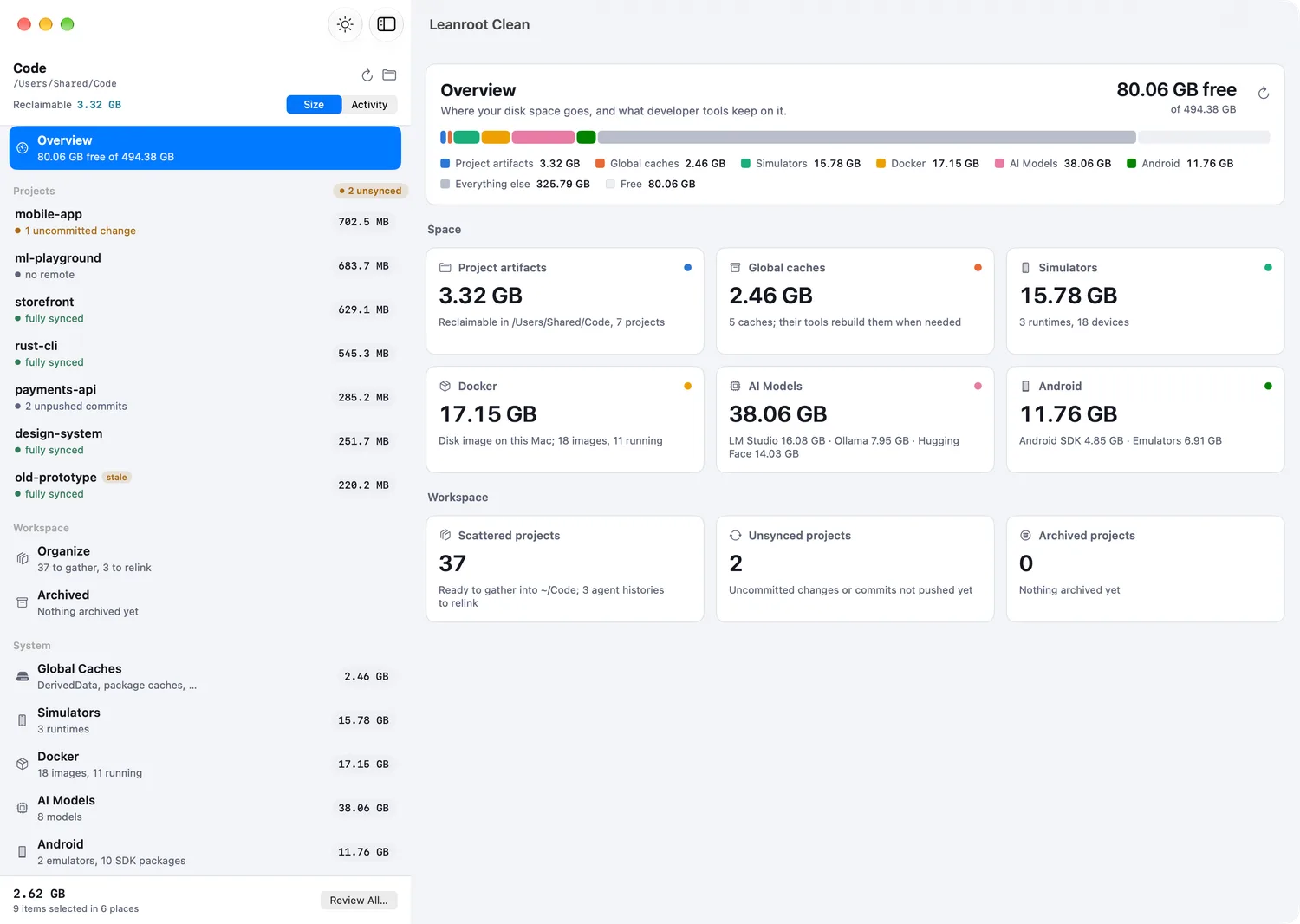
- Global caches
DerivedDatanpmGradlepipCargoHomebrewCaches that every tool keeps for itself and nobody ever empties.
- Simulators and Android
iOS runtimesdevicesSDK packagesemulatorsOld runtimes and emulators often take more space than the projects that needed them.
- Docker
imagescontainersvolumesbuild cacheSee what fills the Docker disk image, and remove what you no longer run.
- AI models
LM StudioOllamaHugging FaceLocal models are gigabytes each. Find the ones you tried once.
- Apps
leftoversHomebrew updatesWhat removed apps left in your Library, and Homebrew updates with one click.
Careful by default
Git comes first
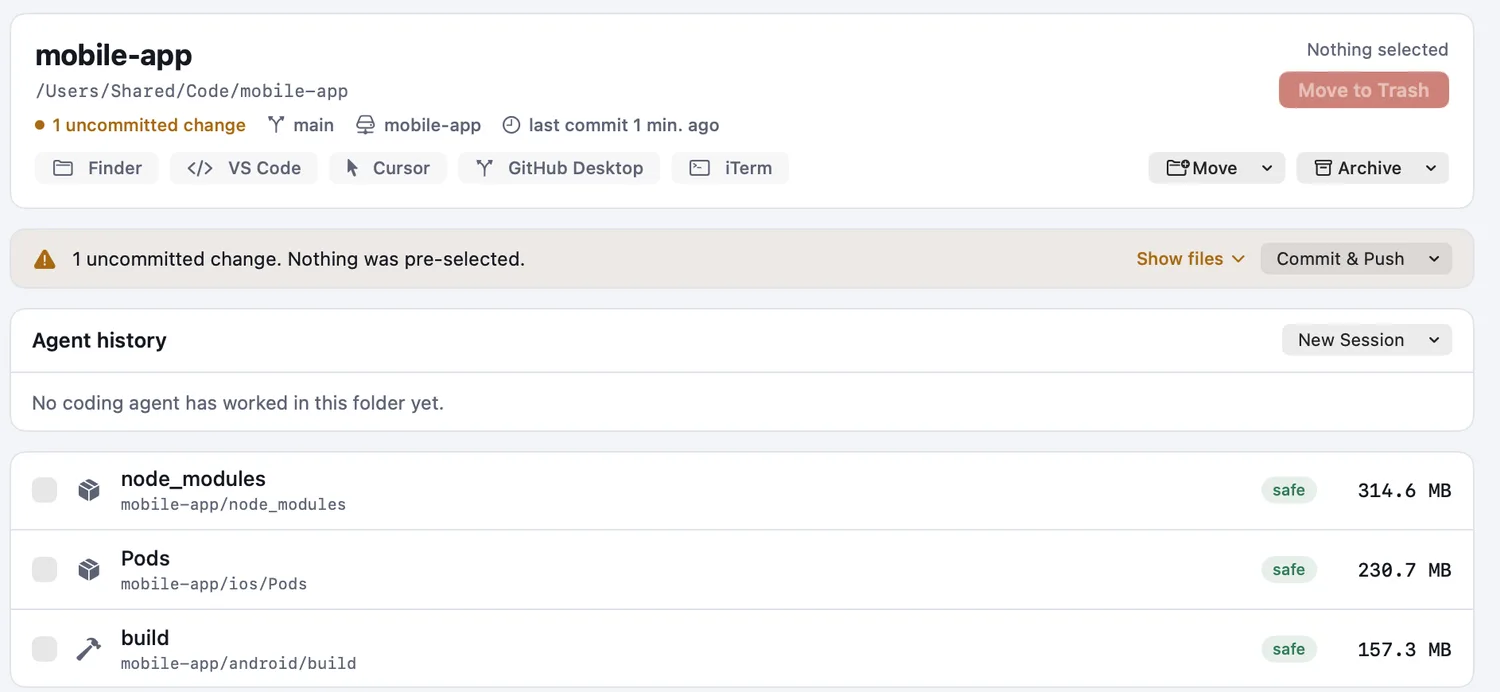
A project with uncommitted changes or unpushed commits gets nothing selected for you. A whole project is only offered when it can be cloned again exactly.
Files go to the Trash
You can always put them back. Docker images, simulators and Homebrew apps are removed with their own tools, and only after you confirm.
You decide
Every item is marked safe or not, with its size. Nothing leaves your Mac until you choose it.
Keeps your projects in order, too
Organize
Gather projects scattered across your Mac into one folder, and keep the Claude Code, Codex and Cursor histories that belong to them.
Archive
Move a finished project to your NAS or a server, and bring it back when you need it.
Stays on your Mac
No account, no tracking, nothing about your files leaves your Mac. The only request it makes on its own is the daily update check.
Questions
What does it cost?
Leanroot Clean is free while it is in beta.
What do I need?
macOS 15 or later, on a Mac with Apple silicon or Intel.
Why does it ask for Full Disk Access?
macOS keeps some folders private, like the data other apps store in your Library. With access, Leanroot Clean can measure them and find what removed apps left behind. It works without it too; those folders are then skipped.
Does it remove anything on its own?
No. Scanning only reads. Nothing is removed until you choose it and confirm.
How does it update?
Once a day it checks for a new version and asks before installing. You can turn this off in Settings.
Something else? Write to support@leanroot.app, or use Help, Contact Support in the app.